Listen Instead of Reading
Turn text, PDFs, docs, and web pages into natural-sounding audio on iPhone.
Made for Every Day
Study Smarter
Turn books, notes, and PDFs into audio so you can absorb more without eye strain.
Work on the Go
Listen to documents and web pages anywhere — commuting, walking, or multitasking.
Focus More Easily
Use natural voices for accessibility and daily reading — gentle on your mind and eyes.
Built to Turn Text Into Audio
Natural Text to Speech
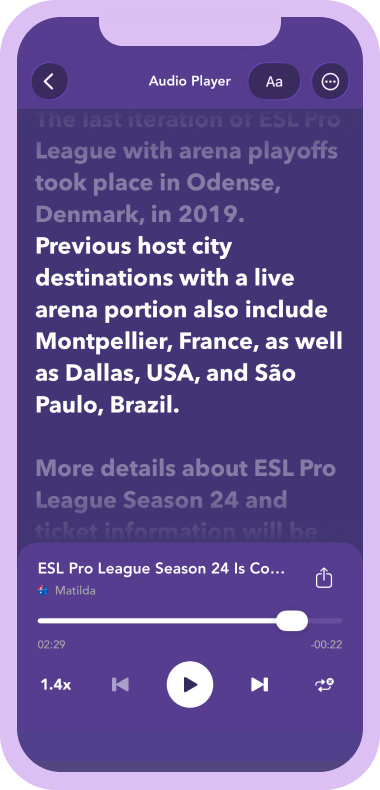
Listen with clear, lifelike voices that make any text easy and pleasant to follow.
Import from Anywhere
Open PDFs, docs, and web content in seconds — no copying or reformatting needed.
OCR and Voice Input
Scan photos or dictate text for instant listening — no typing required.
Export as Audio
Save spoken text as an audio file and share it anywhere, anytime.
Trusted for Daily Listening
Used for studying, work, accessibility, and listening on the go.
"I use it daily for PDFs and long articles. The voices sound natural and help me focus."
"The photo-to-speech feature is excellent. I scan notes and listen to them on my commute."
"Great for accessibility and multitasking. Speed controls and highlighting make it easy to follow."
Listen Anywhere, Anytime
A faster, easier way to turn reading into listening for work, study, and daily life.
Start ListeningFrom the Blog
All articles →Long-Form Articles to Audio: How to Actually Finish the Long Reads
There’s a specific kind of guilt that comes from a folder of bookmarked long-form articles you swore you’d read. Maga...
Listen to Articles at the Gym: Workouts That Double as Reading Time
The gym and the reading list are usually competing for the same hour of free time. You can do one or the other; not b...
Text to Speech for Notes: Review What You Wrote by Listening
The notes you take during meetings, lectures, and reading sessions are only useful if you actually go back to them. T...